Traditional contacts apps clutter your screen with bulky windows and endless lists of people you haven’t spoken to in years. Deets on macOS gives you instant, distraction-free access the second you need it.
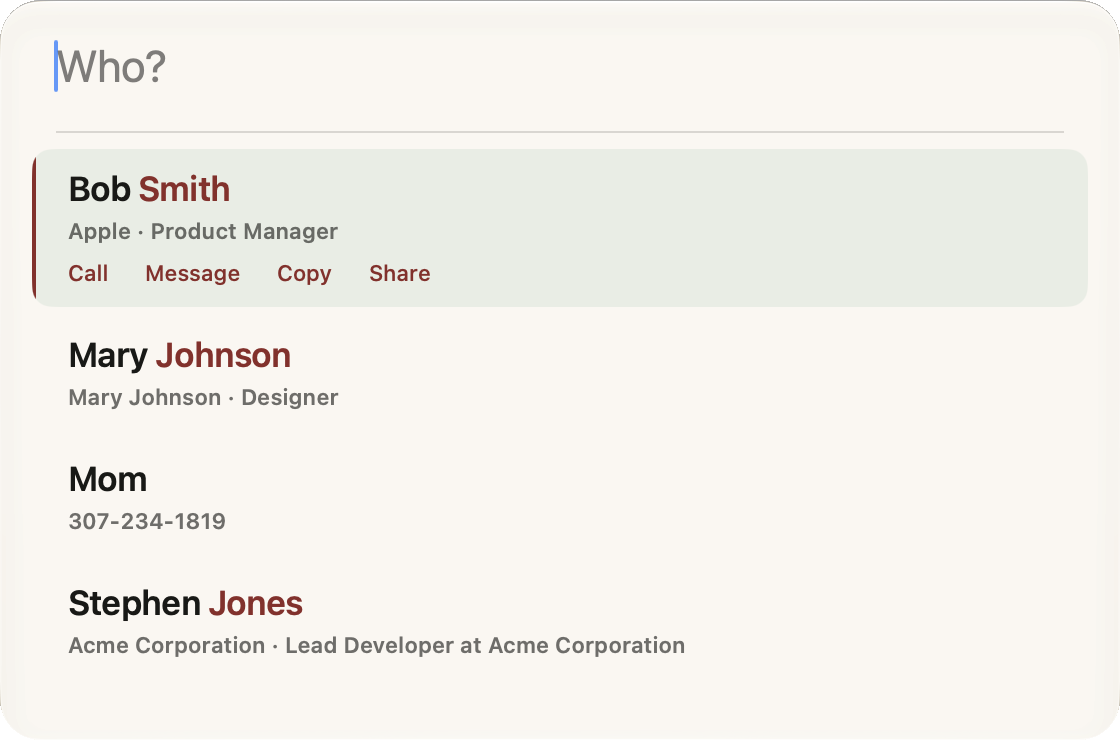
When summoned, only a single clean row appears asking "Who?". There is no giant window or crowded list cluttering your screen until you need it. Type a few letters, get your details, and get right back to what you were doing.
Most address books only have photos for a handful of people, filling the rest with identical pastel circles with two initials. Deets eliminates avatar clutter entirely. Clear, elegant typography makes first and last names distinct and easy to read at a glance.
Your hands never need to leave the keyboard. Press ↓ to jump straight into results and select actions. Press ⇥ Tab to reveal your favorites. Press Escape to collapse back to the simple row.
Selecting any contact reveals a tailored action strip. Call, send a message, copy clean text, or share the card as a QR code, each in a single keystroke.