Every recipe you love, in one warm place.
Fond is a recipe box for the way you actually cook. Give it a link, a cookbook photo, a PDF or a pasted message, and it reads out the recipe. Then cook from it one step at a time, in cups or grams, and send what you need to buy to Reminders or straight to your grocery store.
Free. No account, no ads. A dozen sample recipes to start you off. Needs macOS 26 or later.
Coming soon for iPhone and iPad. Email me to join the TestFlight beta.
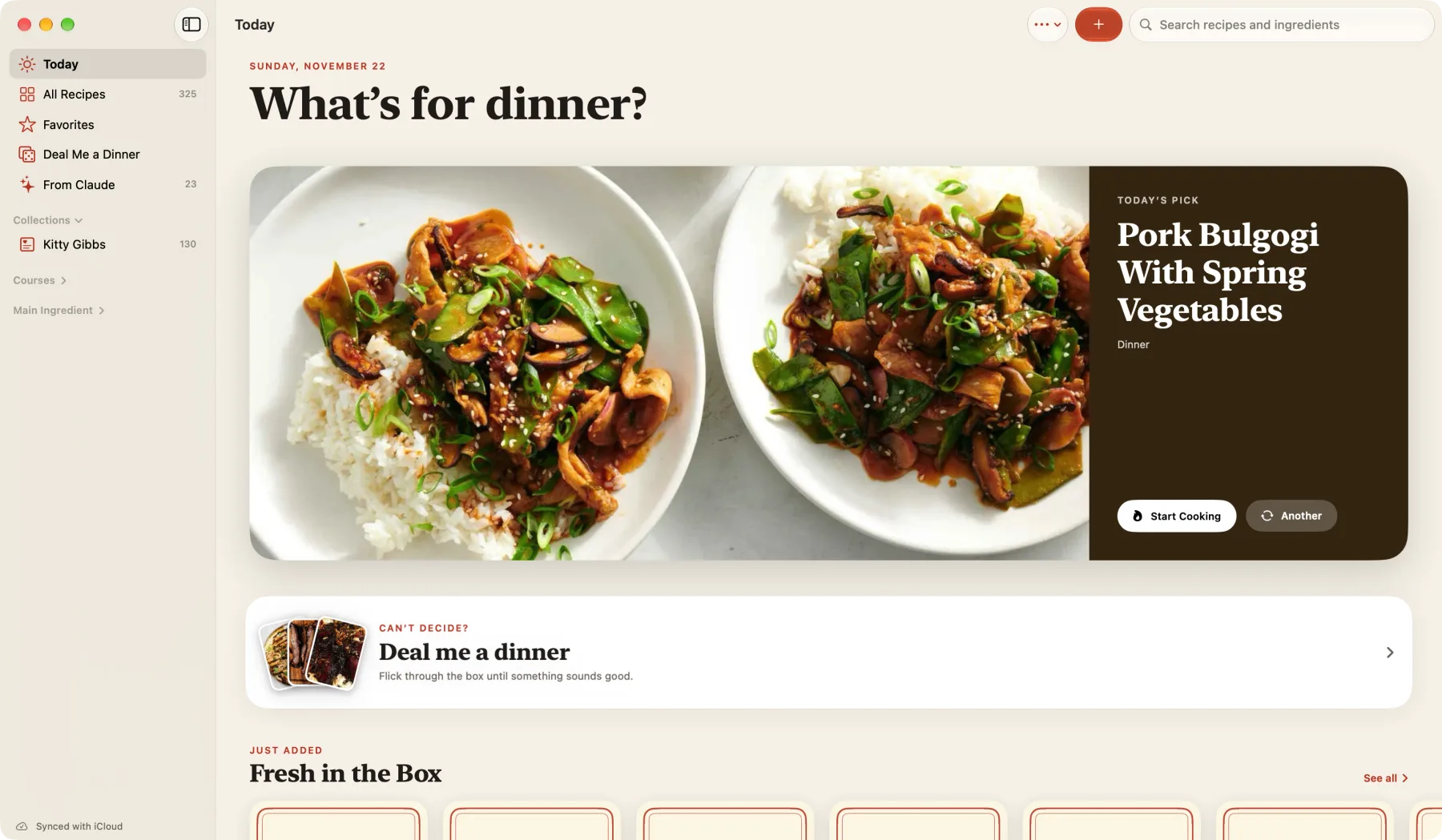
Today picks a recipe for you each morning, with shelves by course and by what's in the fridge.
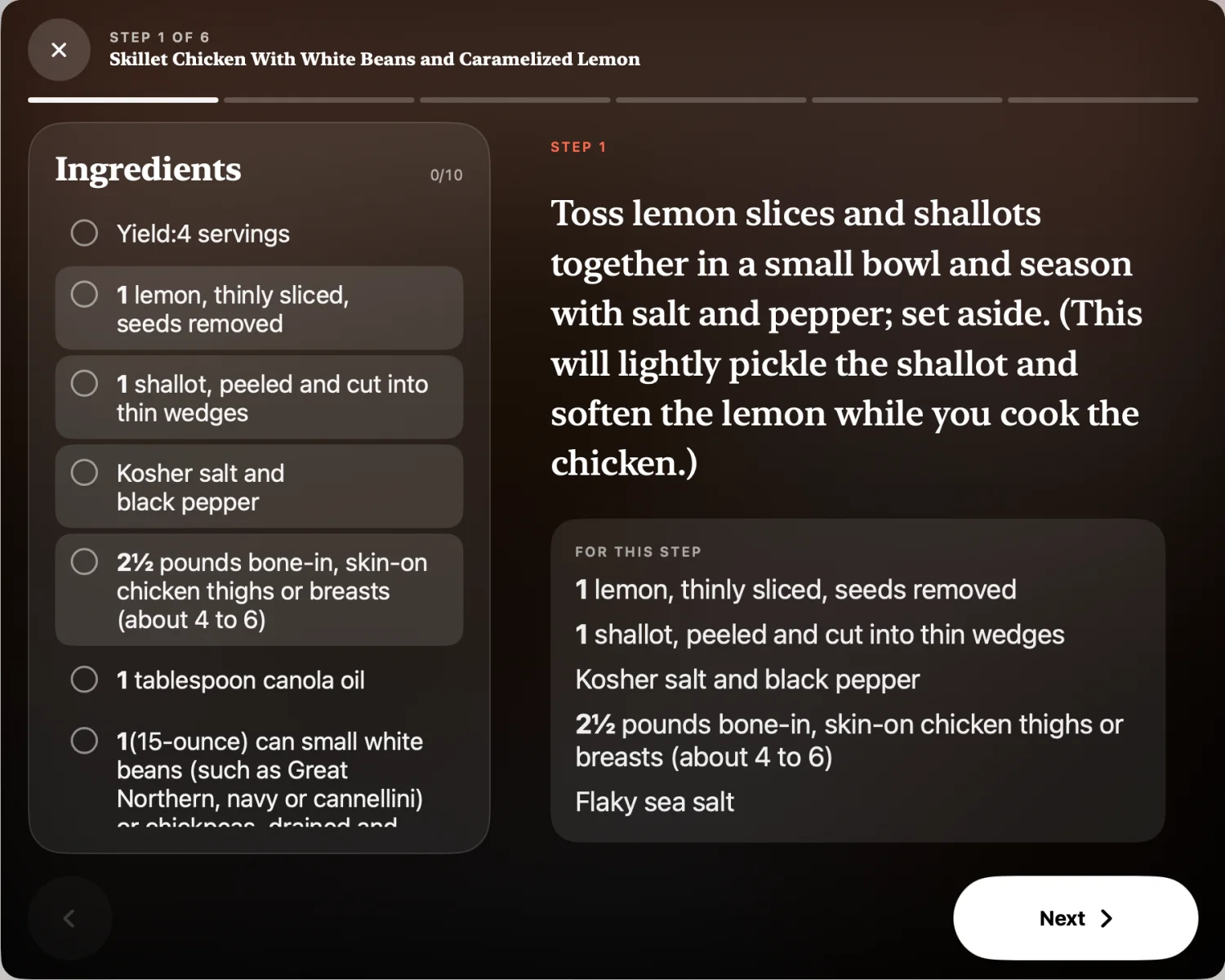
Made for a counter, not a desk.
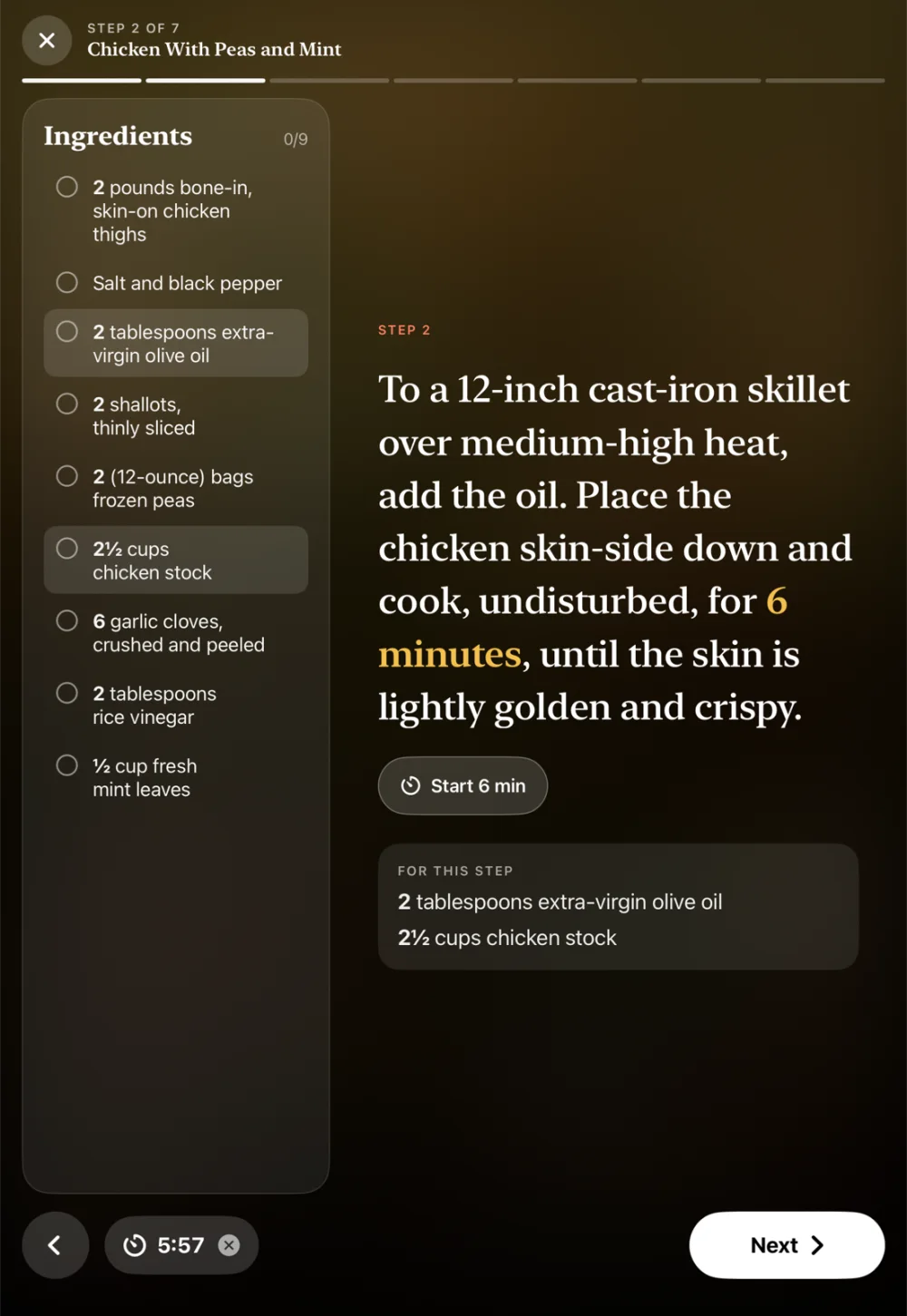
- One step, in type you can read from across the roomCook Mode shows a single step at a time, with big buttons for messy fingers.
- The amounts for this step, right under itNo scrolling back to the list to find out how much stock "the stock" was.
- Timers from the recipe's own words"Simmer for 20 minutes" becomes a timer you start with one tap. Timers run while Cook Mode is open.
- Scale it, tick it offHalf a batch or triple: the amounts change with you, and ingredients tick off as they go in.
- Cups or grams, your choiceOne switch shows every recipe in US cups and ounces, or in grams, millilitres and °C (with the fan setting) and British names: plain flour, coriander, grill. Pan sizes and inches convert too. The recipe itself is never changed.
From the recipe to the shopping list.
Press Groceries on any recipe and Fond writes the list for you, at the scale and in the measures you've chosen.
A list that reads like one
"900 g Yukon Gold potatoes", not the whole line about peeling them. Salt, pepper, oil and water start unticked, and the same ingredient used twice is added up into one line.
Into Reminders in one tap
The ticked items go to your Groceries or Shopping list in Reminders, so they're on your phone in the shop. Anything already on the list is skipped.
Shop at your store
Open Amazon Fresh, Whole Foods, Instacart, Walmart, Kroger or Target (or Tesco, Sainsbury's, Ocado and Waitrose) inside Fond and step through your list one search at a time. You add each item and check out on the store's own site; Fond never touches your cart.
Getting recipes in is the easy part.
Whatever you give it, Fond opens the recipe for you to check before it's saved.
Paste a link
Works with most recipe sites and food blogs. Fond takes the ingredients, the method, the photo and the times, and leaves the life story behind.
Photos, scans and PDFs
Drop a photo of a cookbook page, a handwritten card or a PDF onto the window. Fond reads the text on your Mac and sorts it into ingredients and steps.
Share from Safari, or just paste
Send the page you're reading with Share. Or paste a recipe from an email or a message, and Fond works out which lines are which.
Search by ingredient
Search looks through names, ingredients and notes at once, so "leeks" finds everything you could make with the ones in the fridge.
A family's recipes, kept together
Recipes that came from one person can sit in a collection of their own. Send someone a Fond file and the recipes join their box, photos and all.
Never locked in
Export any recipe, or the whole box, as a web page that prints like a cookbook, as Markdown, or in the standard recipe format other apps read.
Your box, propped up by the stove.
Fond for iPhone and iPad is coming soon, and you can try it now in the TestFlight beta. With iCloud on, the same recipes appear on every device, privately, in your own account.
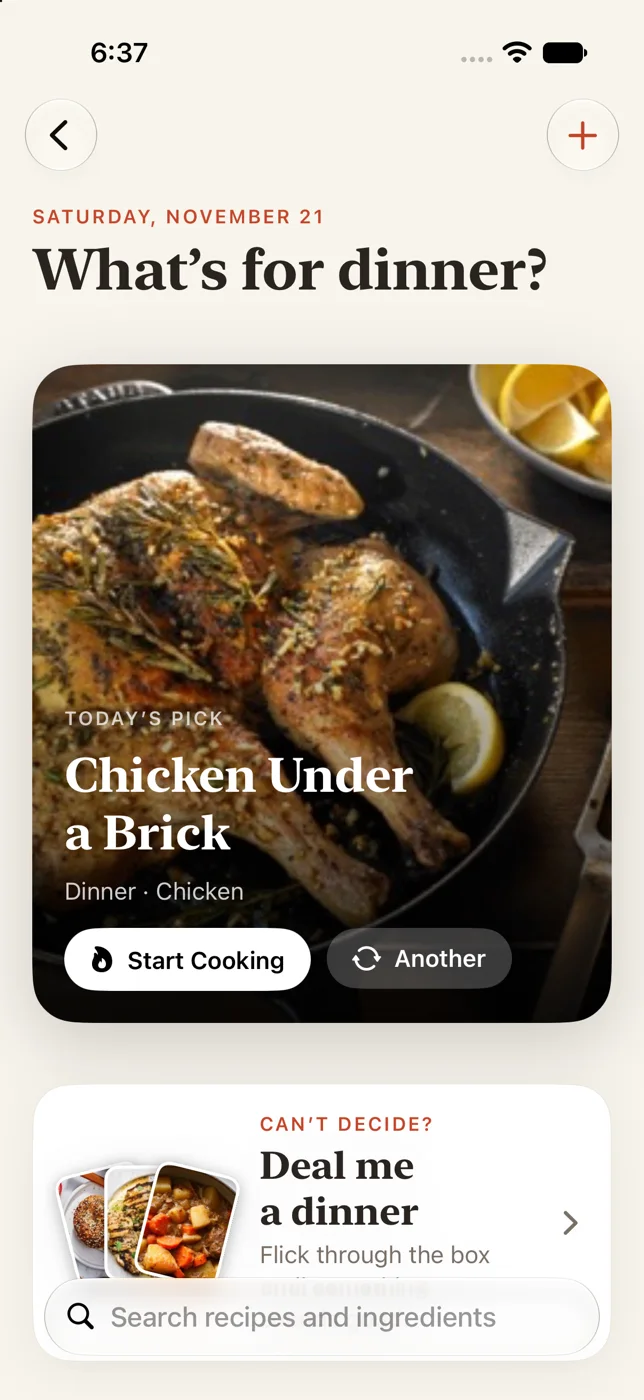
Write to shearm@mac.com and I'll send you a TestFlight invitation. Not on the App Store yet; the Mac app works on its own in the meantime.
Download Fond for Mac
Free, with every feature. Fond checks for updates once a day and asks before installing one.
- Open the downloaded Fond.dmg.
- Drag Fond into the Applications folder.
- Open it. A dozen sample recipes are there to cook from; add your own with the + button, and remove the samples whenever you like.